
CRM issues might begin robbing firms of sales sooner than planned. A 2025 validity study indicated that 37% of CRM users lost revenue due to poor data quality. Even more troubling, 76% reported that less than half of their CRM data was accurate and full.
In this article, we’ll explore the reasons why a Zoho setup can underperform, from poor planning and data migration to excessive customisation and insufficient testing. It also covers practical fixes for Australian businesses that want a CRM that supports sales, operations, and long-term growth.
Key Takeaway
- A good Zoho system should fit the way your business actually works. It should not force your team through unnecessary steps or create more administration.
- Good planning matters from the start. So do clean data, sensible customisation, reliable integrations, and proper testing. If your current CRM feels difficult to use, that does not always mean you need to start again.
- In many cases, a careful review can uncover what went wrong and show you where to make improvements.
5 Signs Your Zoho CRM Setup Is Costing You Sales
Before a sudden surge in costs, subtle warning signs often appear that most businesses ignore. Some of the crucial points are:
1. Your Sales Team Still Uses Spreadsheets
If salespeople regularly keep customer information in spreadsheets, notes, or personal files, your CRM may not properly support the sales process.
2. Leads Are Sitting Without Follow-Up
A new enquiry should not disappear into a crowded inbox. When lead assignment or follow-up processes are poorly configured, salespeople may not know who owns the lead or when they need to contact the prospect.
3. Your Reports Do Not Match Reality
A sales manager should be able to look at the CRM and understand what is happening. If pipeline figures constantly need manual checking, the problem may be incomplete records, inconsistent stages or incorrect data entry.
4. Staff Avoid Using the CRM
Employees start saying the CRM takes too long to update or that it is easier to do something another way. That usually points to a usability or configuration problem rather than a training problem alone.
5. Simple Changes Feel Surprisingly Difficult
Changing a field or adjusting a workflow should not become a major project every time. If your team depends on technical help for basic changes, your CRM may have become unnecessarily complicated.
Common Zoho Migration Mistakes Melbourne Businesses Make
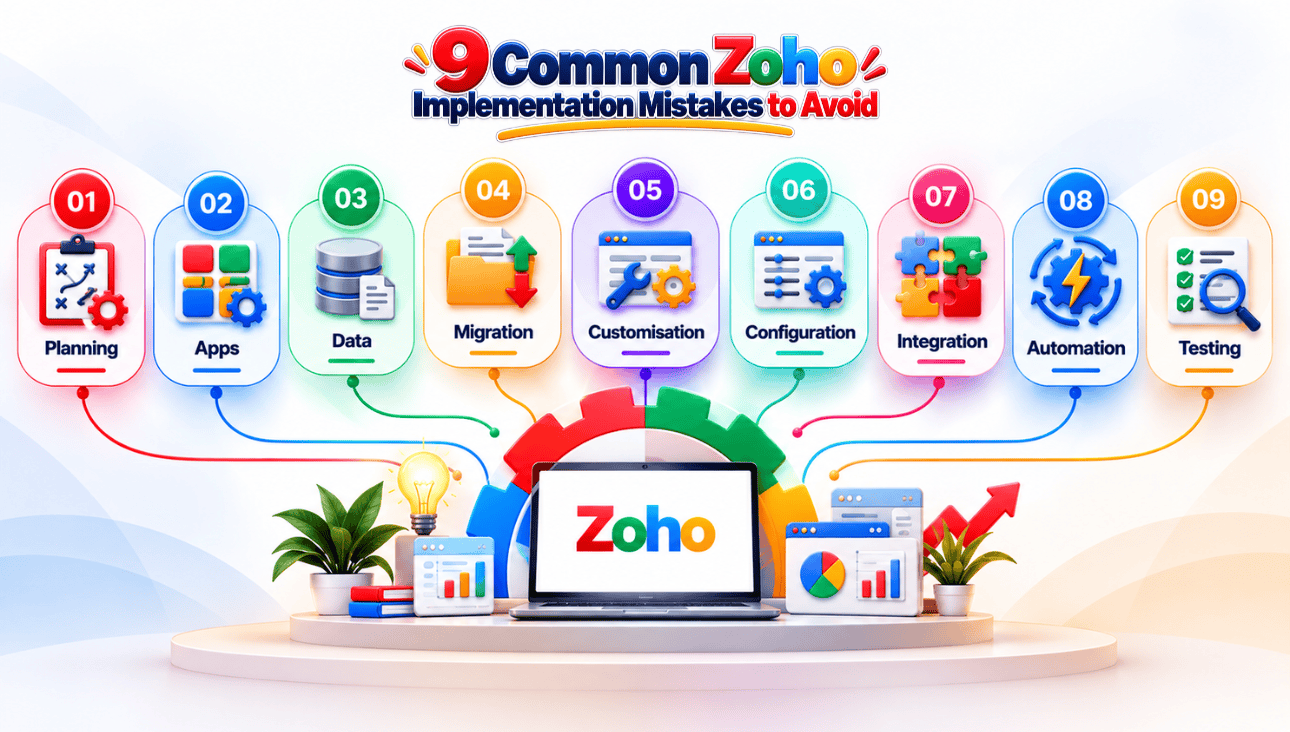
Moving to Zoho involves more than transferring names and email addresses. The way data, processes and existing systems are handled can determine whether the new CRM works properly.
Starting the Zoho Setup Without a Clear Strategy
Choosing the Wrong Zoho Apps or Plan
Zoho has plenty of applications, which is useful but can also make selection confusing. Some businesses choose tools because they sound useful rather than because they solve an actual problem. Look at your current processes, team requirements, and future growth before deciding which applications belong in your setup.
Migrating Poor-Quality Data Into Zoho
A new CRM will not magically fix old customer data. If your existing database contains duplicate contacts, outdated phone numbers or incomplete records, importing everything simply carries those problems across. Clean the database first. Decide what is worth keeping, then prepare the remaining information for migration.
Data Loss During CRM Migration: How to Prevent It
Migration errors can be difficult to spot until the old system is no longer available. A field may map incorrectly, records may fail to transfer or important relationships may be lost. Keep a backup of the original data and test the migration with a smaller sample before moving the full database.
Over-Customising Zoho From Day One
Zoho can be customised extensively. That does not mean every available option needs to be used. Too many fields, modules and workflows can make the system harder to understand and maintain. Start with what your team genuinely needs. You can always add more later.
Zoho Customisation: When DIY Configuration Fails
Basic changes are often manageable in-house. More complicated requirements are different. Once you are dealing with advanced workflows, permissions, functions, or specialist processes, trial and error can create bigger problems. Zoho CRM customisation works best when every change has a clear purpose, and someone understands its long-term impact.
Ignoring Integrations During the Zoho Setup
Your CRM probably needs to exchange information with other platforms. That could include accounting software, websites, marketing tools or customer support systems. Leaving this until the end can lead to unnecessary manual work. If you need a custom Zoho integration, consider the data flow before the main setup begins.
Creating Too Much Automation Too Quickly
Automation is useful when it removes repetitive work. It becomes a problem when nobody knows why a workflow is firing or which rule is changing a record. Start small. Automate a few processes that clearly save time, test them properly, and build from there.
Skipping Testing Before Going Live
A CRM can look fine during configuration and still behave differently when real users start working in it. Test common scenarios before launch. Check lead assignment, permissions, reports, workflows, integrations and data. It is much easier to fix these issues before the whole team depends on the system.
Common Zoho Setup Problems vs. Better Approaches
| Area | Common Problem | Better Approach |
| Planning | Features are configured first. | Business processes come first. |
| Data | Old data is imported as-is. | Data is cleaned before migration. |
| Customisation | Every request becomes a custom feature. | Changes are made for clear business needs |
| Integration | Connections are considered later. | Systems are mapped before implementation. |
| Automation | Too many workflows are added. | High-value tasks are automated first. |
| Testing | Problems appear after launch. | Real scenarios are tested beforehand. |
| Training | Users receive generic instructions. | Training reflects individual roles. |
| Support | Issues are fixed as they appear. | The system is reviewed regularly. |
Why Your Zoho CRM Isn't Generating Leads and How to Fix It
A poorly configured CRM can affect more than internal processes. It can also interfere with how quickly leads are captured, assigned, and followed up.
Lead Sources Are Not Connected Properly
Website forms, advertising campaigns, and other inquiry sources need to feed information into the right place. Check where new leads enter your CRM and whether any source is being handled manually.
Leads Are Not Being Assigned Quickly
A lead sitting unassigned is an opportunity waiting to go cold. Review assignment rules and make sure new enquiries reach the appropriate salesperson without unnecessary delays.
Follow-Ups Depend Entirely on Memory
People forget. Good CRM processes account for that. Use sensible reminders and automation where they genuinely help salespeople stay on top of enquiries.
The CRM Has Too Many Steps
If recording a new lead feels like completing paperwork, employees will look for shortcuts. Remove fields that do not matter and simplify the process wherever possible.
Managers Cannot See Where Leads Come From
When marketing and sales data don’t match up, it’s hard to tell which sources generate worthwhile inquiries. Review your fields and reports to confirm that managers are making decisions based on reliable information. When these issues persist, Zoho CRM support can help businesses evaluate their current setup before deciding whether major changes are necessary.
Zoho Migration Checklist: 10 Steps Before You Switch
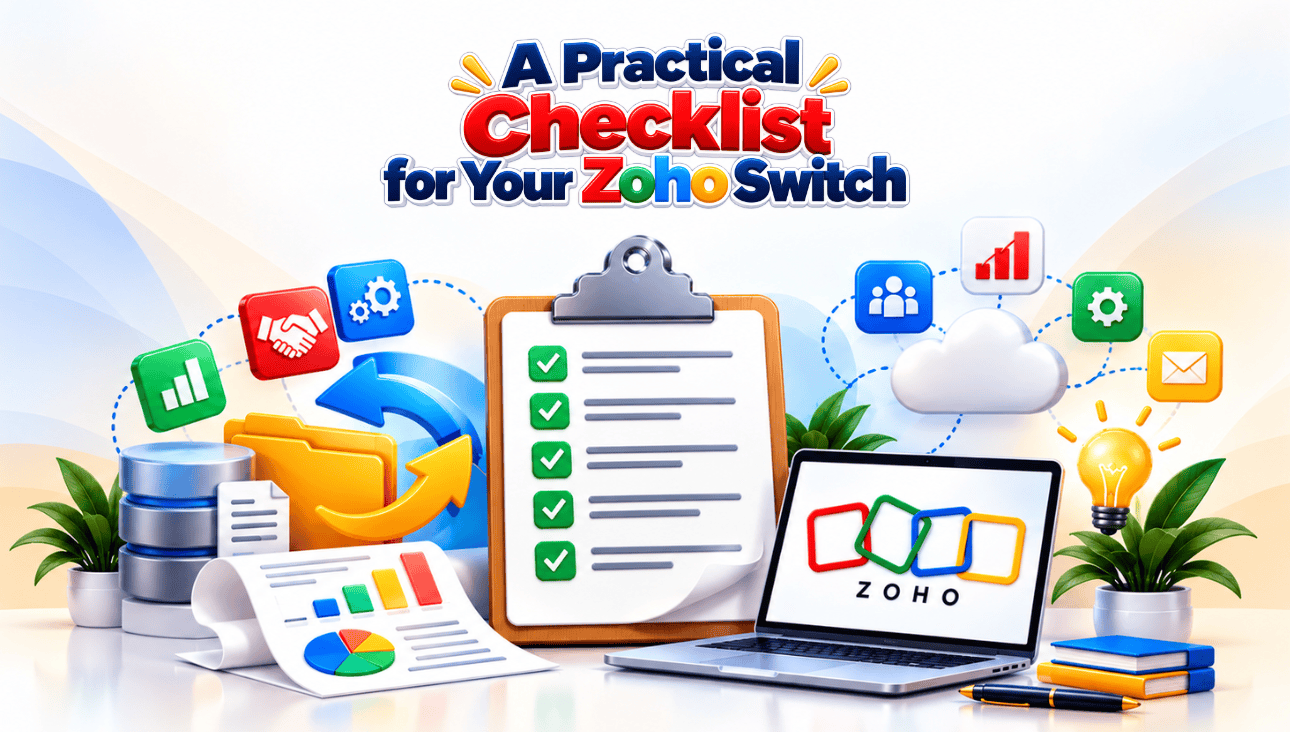
1. Audit Your Existing Data
Go through your current database and identify duplicates, outdated records, and information that no longer needs to be transferred.
2. Back Up Everything
Keep a secure copy of your original CRM data before starting the migration. Do not rely solely on the migration process as your backup.
3. Decide What You Actually Need
Not every old field deserves a place in the new system. Keep information that supports sales, service, reporting, or day-to-day operations.
4. Clean Duplicate Records
Deal with duplicate contacts and companies before migration. Cleaning them afterwards can take considerably more time.
5. Map Your Fields
Decide where each piece of existing information belongs in Zoho. Check formats carefully, especially for dates, phone numbers, and dropdown values.
6. Review Your Pipeline
Your old sales stages may not reflect how your business operates today. Use the move as an opportunity to simplify the pipeline.
7. Check Your Integrations
Create a list of the platforms that need to be integrated with Zoho. Before migrating, companies searching for Zoho app integration in Melbourne should think about data flow, compatibility, and future needs.
8. Run a Test Migration
Do not move the entire database on the first attempt. Test a smaller batch and check whether the records appear correctly.
9. Prepare Your Users
Show staff how the new CRM fits in with their day-to-day work. Real-world examples are more useful than feature demonstrations.
10. Plan Support After Launch
In the first few weeks, problems often emerge that were not discovered during testing. Zoho data migration should therefore be treated as part of the wider implementation process, not as a separate data transfer task.
Bottom Line
A failed CRM setup rarely comes down to one mistake. More often, several small decisions create problems over time. The system may have too many custom fields, poor-quality data, disconnected applications, or workflows nobody fully understands. The better approach is to step back and look at how the CRM supports the business as a whole.
A reliable Zoho CRM configuration should be straightforward for your sales and operational staff to utilize every day. It must also give management information that is reliable. If your firm needs ongoing help beyond the first setup, Zoho support serviceswill continue to support you as your processes, integrations, and CRM needs expand.
Is your Zoho system working harder for you than you are working for it? Flexbox Digital will audit your system and help you find what needs improvement.